

Running a call queue used to mean being at a desk. With the new 3CX app for Android, you can see who's taking calls, bring more people in and ring back callers who gave up, all from your phone.
Version 5.8 also lets your team choose which number customers see when they call out, so more calls get answered and callbacks reach the right people.
Available now
Google Play
Needs
Update 10
What you need to do
Update the app
Clearing a busy queue from anywhere
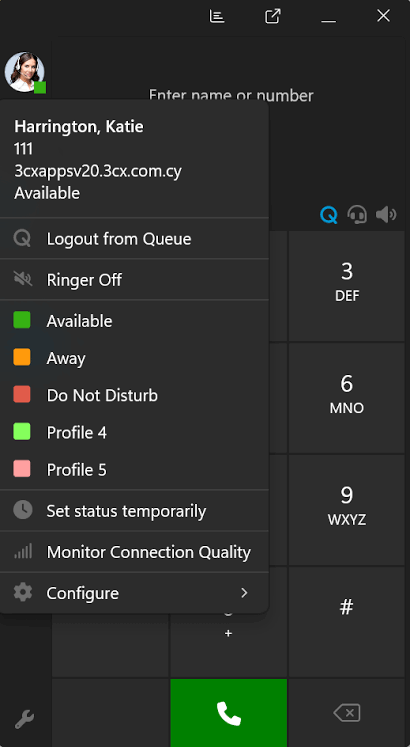
A call queue holds callers in line until the next person is free. In the app's Queue info section you can now see every queue and which people are logged in or out. If you have permission to manage the queue, you can log people in or out one by one, or the whole team at once.
Example
You're at a client meeting when callers start stacking up in the sales queue. You open the app, log two more people in and the queue clears. Once it calms down, you log them back out.
3CX also fixed a problem from the test version where the log in and log out buttons could stop working if your signal dropped. They now keep working, which matters if your team spends the day in a warehouse, on site or on a train.
Following up every caller who hung up
Anyone who takes calls in a queue, and the people who supervise it, can now see the queue's abandoned calls in Recents, under an Abandoned filter. Each one shows the caller, the queue they were in and the time they rang.
As your team rings people back, they can mark each call as handled. Everyone else in the queue sees that straight away, so nobody gets two calls from your business and nobody gets missed.
- See who hung up before being answered
- Check which queue they were waiting in
- Mark the call as handled once someone has rung back
Calling from the right number
If your extension has more than one number, a Call using option lets you pick which one to call from, or stick with the normal outbound number.
Someone covering two branches can ring a customer back from their local branch number, so the customer sees a number they recognise and picks up. A support agent can call out on the helpdesk line, so the customer's callback goes to the support team.
This has to be switched on in the admin settings first. As with any new feature, we'll talk it through with you before we turn it on.
Getting the new features on Android
Version 5.8 is in the Google Play Store now. These features need your phone system to be on 3CX V20 Update 10, so until then the app will carry on working as it does today.
If we look after your system, we'll move it across for you once the final release is ready and email you before we do. There's more on what happens when your system moves to Update 10, and the iPhone app's version of these features, along with live call translation, is covered in what the new 3CX iPhone app does.

Talking to us about the Android app
If you'd like help deciding which queue and caller ID settings suit your team, we're happy to go through them with you.