

Asking a customer to download an app and set up an account before they can join is an awkward way to start a meeting. 3CX video meetings run in the browser from a link, and they come with the phone system you already pay for.
There's no time limit on meetings and no per-user fee, and the people you invite don't need 3CX to join.
Price per user
None
Meeting time limit
None
People per meeting
Up to 250
Starting a meeting and getting people into it
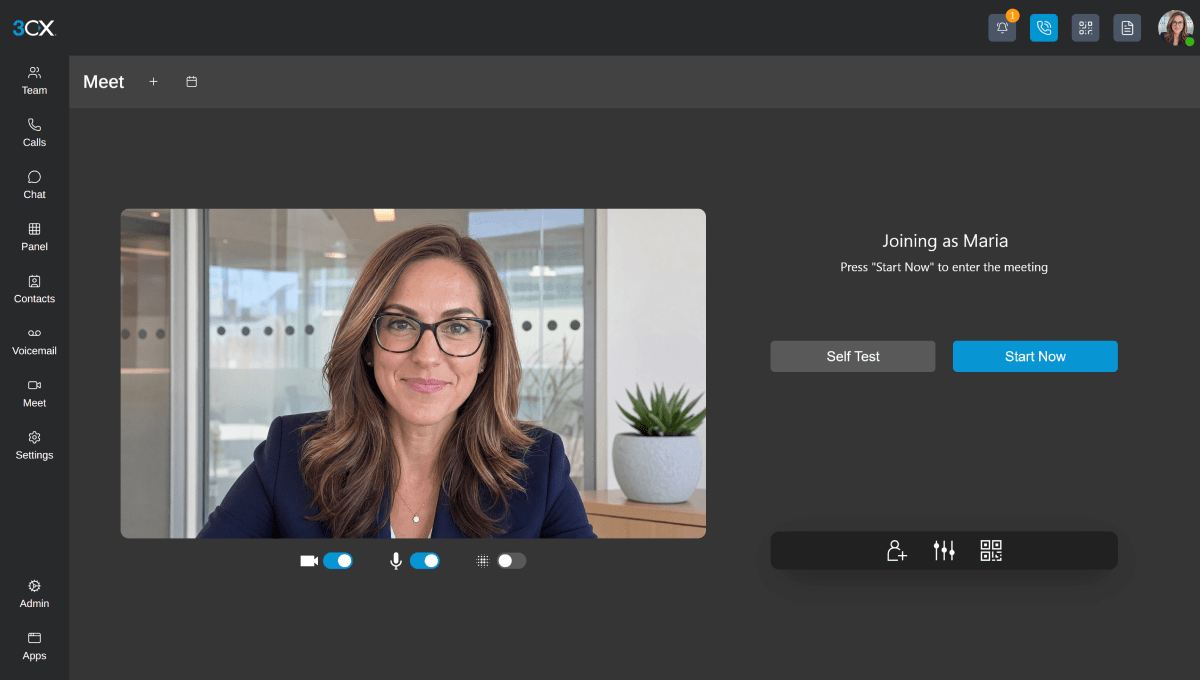
Meetings live in the Meet section of the 3CX app. You can start one straight away, or schedule it and add it to Google Calendar, Microsoft 365 or Outlook, which opens a calendar event with the joining link already filled in.
Guests click the link and join in their web browser, with no login, sign-up or download. There are free iPhone and Android apps for anyone joining on the move, and you can send the link by email or WhatsApp, or show a QR code. You can also put your own meeting link in your email signature or on your website, so people can find you without waiting for an invite.
Example
You're talking a new client through a quote and it would help to show them the figures. You email them your meeting link, they click it, and you're sharing your screen without either of you installing anything.
What you can do once everyone's in
Presenters can share their screen, share files and PDFs, and run quick polls. A co-host can ask to take remote control of someone's screen, which helps when you're walking a customer or a colleague through a setting on their own computer. They have to accept first.
Meetings can be recorded and played back later. Everyone gets chat and one-click reactions, including a raised hand for questions, and background blur keeps the spare room out of shot.
The organiser stays in charge throughout. You can spotlight whoever's speaking, mute someone, make them a presenter or co-host, or remove them from the meeting. From the same place you can also set up an audio conference or a webinar.
Where your meeting data is kept
3CX keeps meeting data on your own 3CX system, and says only the host has access to the meeting content. For businesses that hold sensitive conversations with clients, that's worth knowing before you pick a meeting tool.
If we host your 3CX, that system sits in our Equinix London private cloud with a 99.99% uptime SLA.
Video runs over WebRTC (the video technology built into modern browsers) in HD, and 3CX says it holds up well on slower connections, which matters when a client joins from a busy hotel Wi-Fi.
How many people can join a 3CX meeting
It depends on your edition. PRO takes up to 100 people in a meeting and the AI edition takes up to 250. The free SMB edition, for very small businesses, allows 25.
The Basic edition leaves conferencing out, so if video meetings matter to you, you'll want PRO or AI.
Larger systems, from 16 simultaneous calls (16 calls happening at the same time) upwards, can also run meetings on a video server inside their own 3CX system, which 3CX calls the onboard MCU.
Why 3CX is a good alternative to a separate meeting app
A lot of businesses pay for a phone system and a meeting app separately, often with each one priced per user. With 3CX, video meetings come with the phone system licence, and that licence is priced by how many calls happen at once rather than by headcount.
Example
If 30 people in your business run the odd client meeting, that could be 30 meeting app licences you no longer need, because 3CX already covers it.
There's no time limit, either. Some free meeting tools end the call after a set time, while 3CX meetings run for as long as you need. And because meetings sit in the same app as your calls and customer chat and WhatsApp, your team has one less thing to log in to.
It won't replace everything. If your customers or partners run their working day in another meeting platform, you'll still join their meetings there. 3CX makes most sense for the meetings you run yourself.
We've been doing this for 18+ years and we're a 3CX Titanium Partner. When you move across, we can set up the calendar links and show your team how meetings work, so the first one with a client isn't the first time anyone's tried it.

Talk to us about video meetings on 3CX
If you'd like to see how 3CX meetings would fit the way your team works, we can go through it with you on a free consultation.